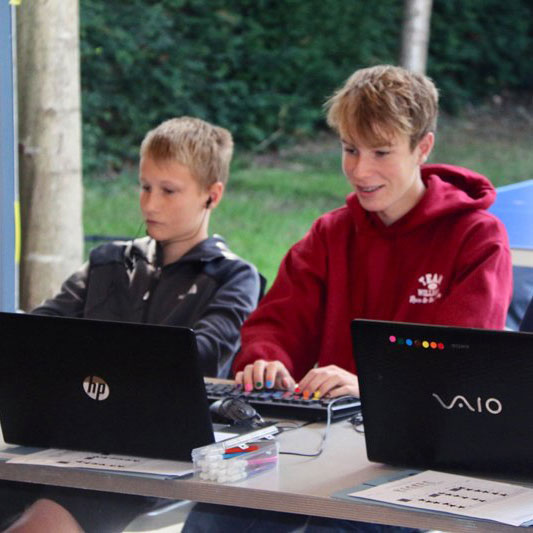
Many parents are delighted when they see their child typing quickly on a laptop or tablet. Fingers flying across the keyboard can give the impression that they are fully prepared for computer-based exams.
However, there is an important difference between typing quickly and touch typing—and that difference can have a significant impact on exam performance. At QWERTY Type, we regularly meet students who can type at impressive speeds using just two fingers, yet still struggle when it matters most in exams.
Fast Typing vs Touch Typing
Typing Fast with Two Fingers
Some students become remarkably quick using only their index fingers. Over time, they develop their own typing method and may achieve respectable speeds.
However, this approach often relies on:
- Looking constantly at the keyboard
- Searching visually for keys
- Using only a small number of fingers
- Increased hand fatigue
- Reduced concentration on the content being written
What Is Touch Typing?
Touch typing is the ability to type using all fingers without looking at the keyboard. Once learned, it becomes an automatic skill that allows students to focus entirely on their ideas rather than the mechanics of typing.
Touch typing provides:
- Greater consistency
- Better accuracy
- Improved posture and ergonomics
- Reduced mental effort
- Enhanced concentration during exams
Why Touch Typing Matters in Exams
In a classroom or at home, a student who types with two fingers may appear perfectly capable. Exam conditions, however, are very different.
During a timed exam, students must:
- Read and understand questions
- Organise their thoughts
- Write detailed answers
- Edit and check their work
- Manage strict time limits
If they are still thinking about where each key is, their attention is divided between typing and answering the question. Touch typing removes this obstacle.
The Hidden Cognitive Load
One of the biggest benefits of touch typing for exams is reduced cognitive load.
Students who rely on visual key searching are constantly using mental energy to locate letters and coordinate movements. In exam situations, every bit of cognitive capacity matters.
Students who touch type can devote more attention to:
- Planning responses
- Developing ideas
- Structuring arguments
- Reviewing work for mistakes
The keyboard effectively becomes invisible, allowing thoughts to flow more naturally.
Laptop Access Arrangements Are Only Part of the Solution
Many students receive exam access arrangements that allow them to use a laptop because handwriting is slow, painful or difficult.
However, simply having access to a laptop is not enough.
Without touch typing skills, students may:
- Type more slowly than expected
- Make frequent errors
- Tire quickly
- Lose confidence
- Struggle to finish answers within the available time
To gain the full benefit of a laptop in exams, students need to type efficiently and accurately without looking at the keyboard.
Accuracy Matters Just as Much as Speed
Parents often focus on words per minute, but exam success depends on both speed and accuracy.
A student typing at 40 WPM with excellent accuracy and strong touch typing technique will often outperform a student typing at 50 WPM using two fingers and constantly correcting mistakes.
The goal is not simply to type fast—it is to type effortlessly.
Building Confidence Under Pressure
Touch typing also helps students feel more confident during exams.
When typing becomes automatic, students can focus on demonstrating what they know rather than worrying about the keyboard. This can reduce stress and improve performance under pressure.
For students with dyslexia, dyspraxia and other SEND needs, touch typing can be particularly beneficial.
When Should Children Learn Touch Typing?
The earlier students learn touch typing, the more natural it becomes. However, it is never too late to start.
Many secondary school students make significant progress within a few months of structured practice and develop the skills they need for GCSEs, A-Levels and beyond.
Signs Your Child Could Benefit from Touch Typing
Your child may benefit from touch typing training if they:
- Look down at the keyboard while typing
- Use only two or three fingers
- Frequently backspace to correct mistakes
- Complain of tired hands
- Have exam access arrangements involving a laptop
- Need to improve writing speed for schoolwork
- Become frustrated when typing longer assignments
Help Your Child Prepare for Exams with Confidence
At QWERTY Type, our touch typing courses help children and teens develop efficient typing skills that support schoolwork, coursework and exams. Lessons are taught by qualified teachers and designed to improve speed, accuracy and confidence.