When parents hear concerns about children spending too much time on screens, it is natural to ask whether another online activity is a good idea. The answer depends partly on what a child is doing and how the time is structured. A live touch typing lesson is designed around active practice, clear teaching and a specific skill, rather than watching or scrolling without a goal.
That does not mean every educational activity should be unlimited screen time. Children still need a healthy balance of learning, movement, rest and offline activities. But a short, focused lesson can be a purposeful use of a screen, especially when it helps a child build a practical skill they can use for years.
What makes educational screen time purposeful?
A live lesson asks a child to take part. They listen, practise, respond to feedback and work towards a goal. In a touch typing lesson, the screen is the way the teacher and student connect; the learning happens as the child develops accurate finger placement and builds confidence using a keyboard.
It is closer to a music lesson delivered online than to passive viewing. The child is learning by doing, with a teacher guiding their practice and helping them improve step by step.
How our online touch typing lessons work
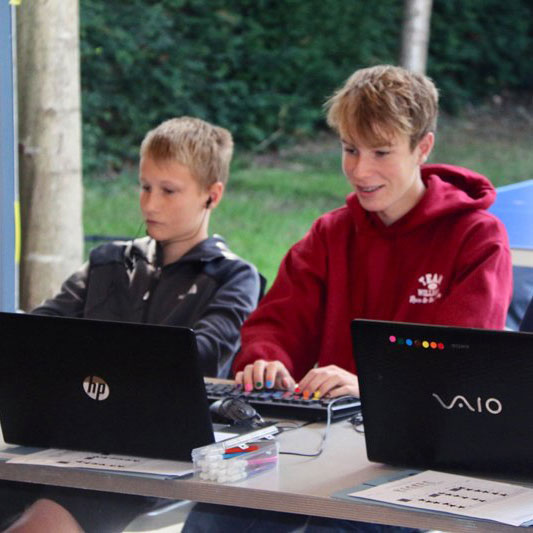
QWERTY Type’s live lessons take place on Zoom and are taught by qualified teachers. During the lesson, the camera can be positioned so the teacher can see the child’s hands and finger movements. This helps the teacher notice when a child is reaching for a key incorrectly, then offer guidance while they practise.
The lessons are structured, with a clear purpose and teacher support. Children learn in a familiar setting at home, without travelling to a venue. Course formats vary, so parents can choose an option that fits their child and family routine.
Why touch typing can help at school and beyond
Once typing becomes more familiar, children can spend less attention searching for keys and more attention on the ideas they want to put into words. This can make writing tasks feel more manageable and help them work more efficiently on homework, coursework and other computer-based tasks.
- More focus on ideas: typing without looking down as often can help a child stay with what they are writing.
- Greater confidence: practising a useful digital skill can help children feel more comfortable using a computer for schoolwork.
- A consistent technique: learning finger placement and posture with guidance can help children build good habits from the start.
- A skill that lasts: touch typing can be useful through secondary school, further education and many types of work.
For children who find handwriting slow or tiring, typing may also give them another way to get their thoughts down. It is not a replacement for handwriting or other kinds of learning, but it can be a valuable option to develop alongside them.
Screen time with a clear purpose and finish
A touch typing lesson has a defined activity and a teacher guiding the child through it. Lesson lengths depend on the course, and intensive holiday courses include a break. Parents can check the details of each course to choose an arrangement that feels right for their child.
As with any screen-based activity, it is sensible to consider the child’s age, attention and need for breaks. The aim is not to add screen time for its own sake. It is to use some of that time to practise a skill that can make future computer-based work easier.
Frequently asked questions
How long are the lessons?
Lesson length depends on the course you choose. QWERTY Type offers different formats, including live online and flexible home-learning options, so check the course details for the session length that suits your child.
Will my child get a break?
Intensive online holiday courses include a break during the session. Check the specific course information for timings and arrangements.
Is touch typing suitable for my child?
Children learn at different rates, and the right course depends on their age, confidence and needs. QWERTY Type’s courses are designed for children and teens, with teacher support throughout. Contact the team if you would like help choosing an option.
A practical skill can make screen time count
Parents are right to think carefully about how children spend time on screens.
A live, teacher-led touch typing lesson gives that time a clear purpose: children practise a practical skill, receive guidance and build confidence they can carry into schoolwork and beyond.
If you would like to find out more, explore QWERTY Type’s online touch typing courses for children and teens: